Skip to content
IM Size&Color

IM Size&Color

Help & FAQs

IM Size&Color
IM Size&Color
Help & FAQs

Getting Started

  • Getting Started

Application Setup

  • Application Setup

Functionality

  • Item Options
  • Finished Items
  • Raw Materials
  • Creation or update process
  • BOM administration
  • Size and Color matrix in BC Documents

FAQs

  • FAQs

Support

  • Support
View Categories
  • Home
  • IM Wear
  • Functionality

Raw Materials

2 min read

The Raw Material option allows you to manage Series (i.e. parent items) and Items (i.e. child items) of Raw Materials in Microsoft Dynamics 365 Business Central

parent items

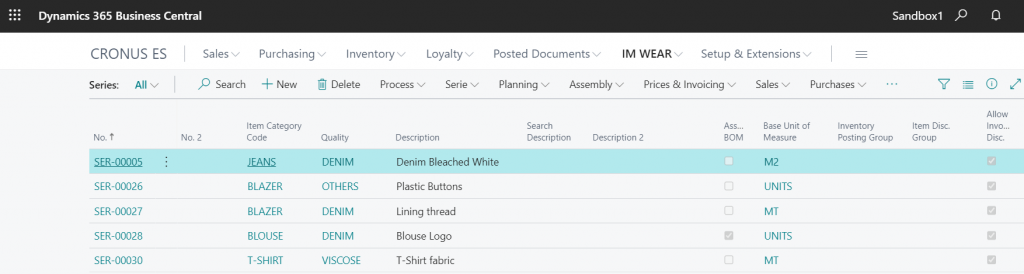
Select the desired No from the list and enter the Parent Item Card
General Fast tab

The General Fast tab contains the specific raw material information fields that will be transferred to the related child items once the creation or update process is generated.
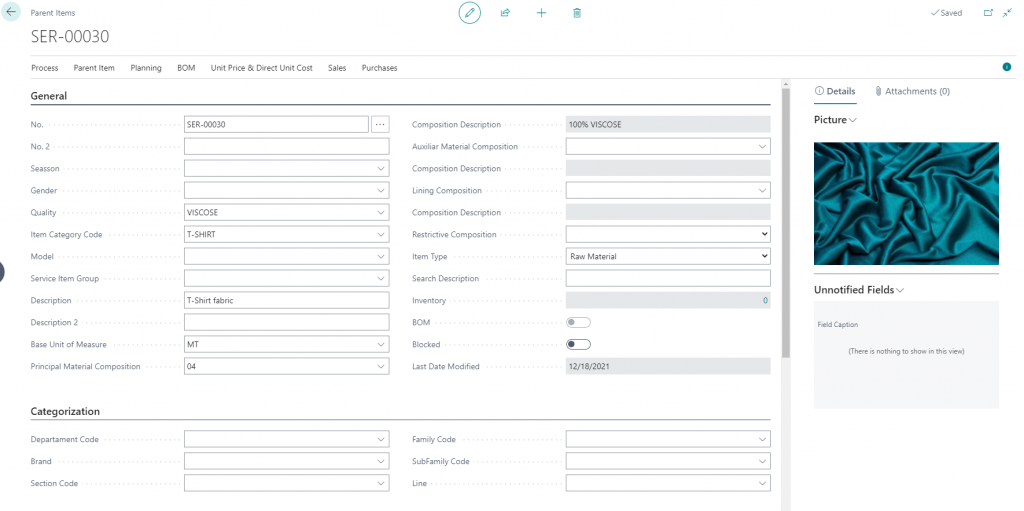
  1. No.:  The serial number
  2. No.2: An additional number can be generated on the basis of the information of description, size and color
  3. Item Category Code: Type of material according to the use
  4. Quality: according to physical or chemical characteristics
  5. Description: Main description of the component
  6. Base Unit of Measure: The basic unit of the component
  7. Composition: Detail of the % of each component
  8. Blocked: Cannot generate nor update child items
  9. Item Type: Raw Material

Colour and Sizes Fast tab

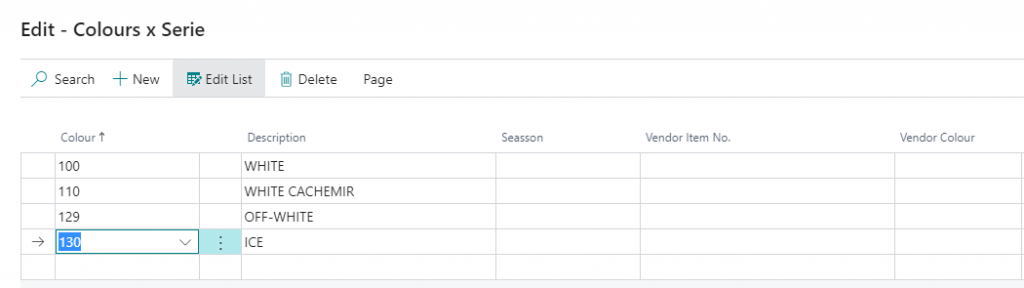
Choose the group of colors and sizes in order to create all the possible combinations when creating the child products.

You will be able to add new colors or sizes once the process is activated, but never delete or change the previously created.
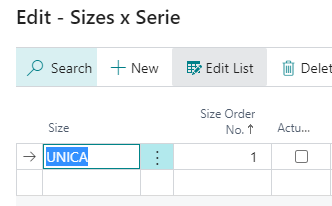
In the sizes list, you can change the order of the sizes or create new ones.
Menu Options

Serie
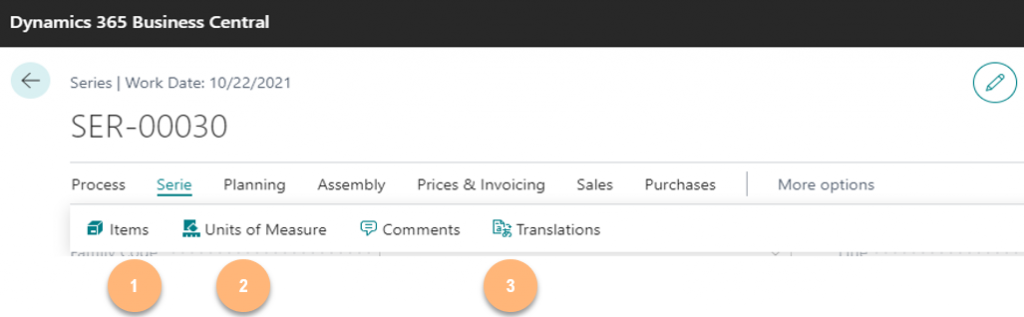
  1. Items: List of child items related to the Serial No.
  2. Units of Measure: different units of measure that will inherid child items
  3. Translations: Transalations for the description of child items

Planning
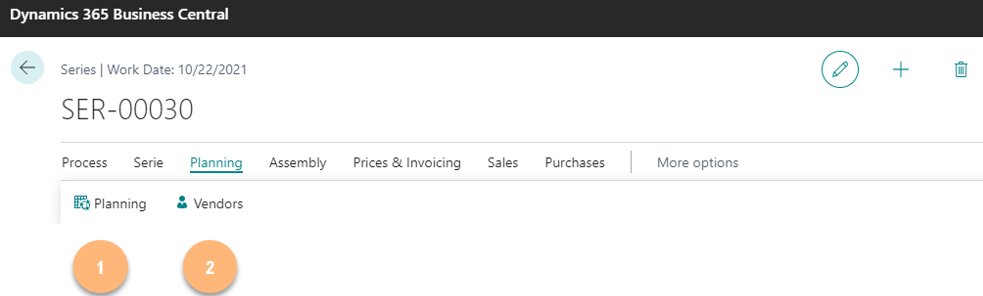
  1. Planning: With this options child item planned needs can be generated
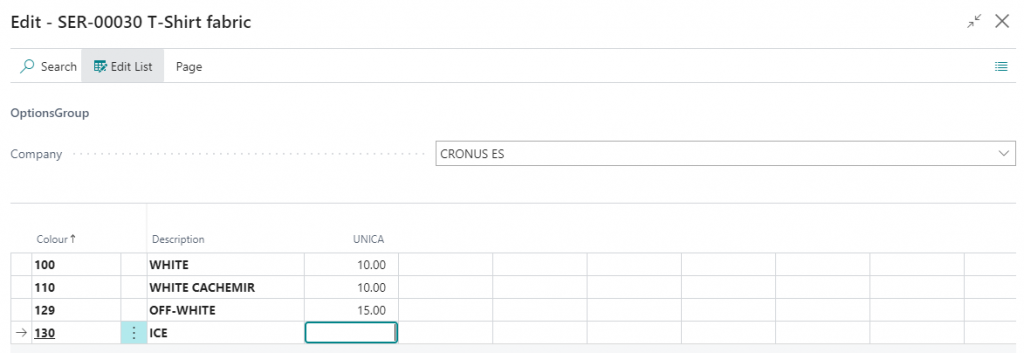
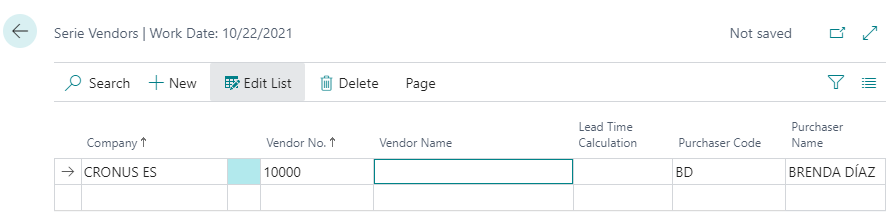
  1. Vendors: Define default vendors and lead time for child items.
Prices and Invoicing
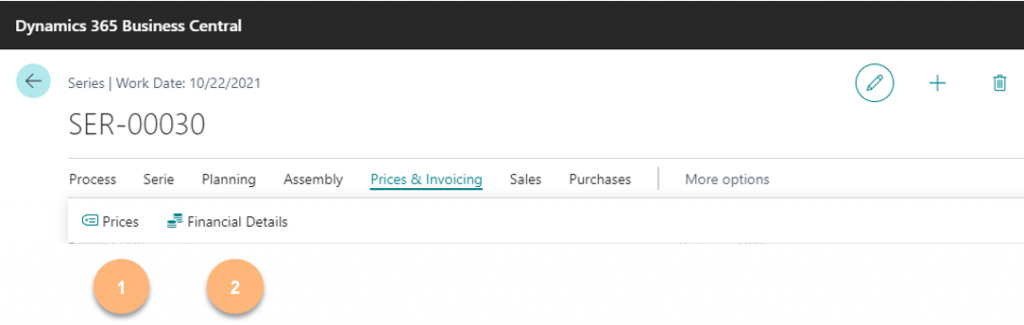
  1. Prices: You can define default selling or purchasing price for child items from this option
  2. Financial Details: Define the posting conditions of the child items

Sales
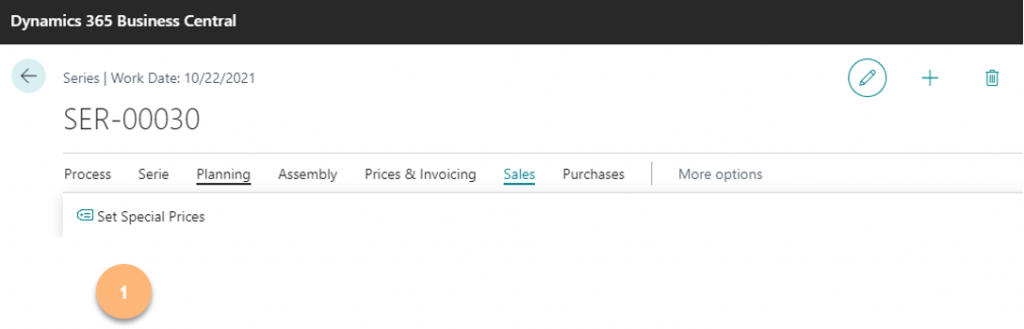
  1. Set Special Prices: To define special price list conditions use this option

Purchases
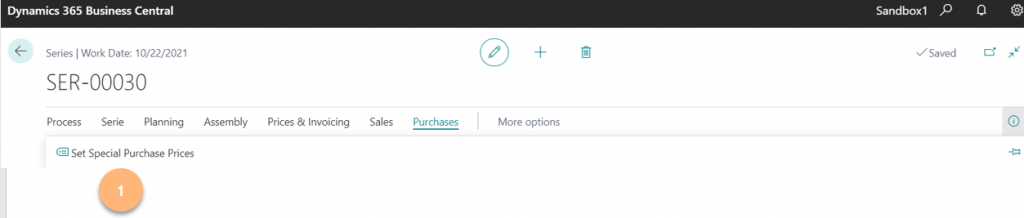
  1. Set Special Prices: To define special price list purchasing conditions use this option

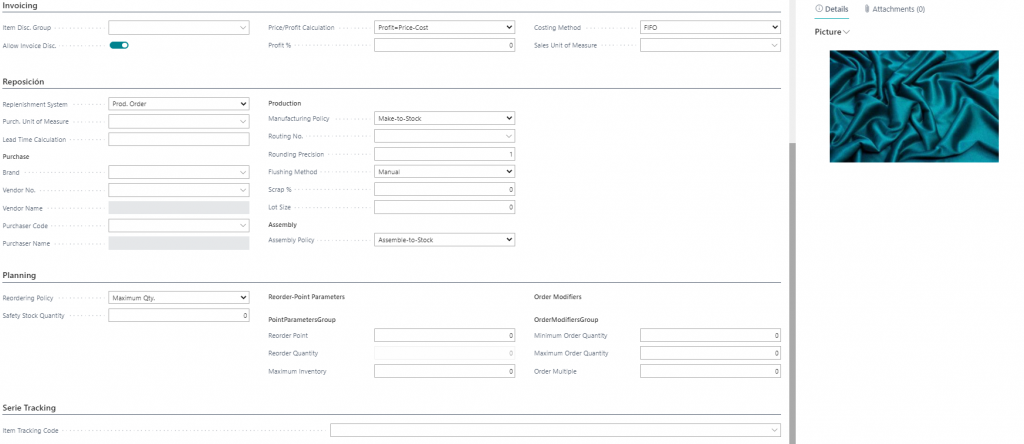
Additional information in the Series card

You can define additional information in the different fast tabs of the Series Card; this information will be transmitted to the child items. When changing the initial values, the updating process for specific fields such as Costing Method or Item Tracking will not work, and the update will have to be done manually on an item basis.
Updated on December 18, 2021
Table of contents
  • parent items
    • General Fast tab
    • Colour and Sizes Fast tab
    • Menu Options
      • Serie
      • Planning
      • Prices and Invoicing
      • Sales
      • Purchases
    • Additional information in the Series card

Contact Us

  • info@im-projects.com
  • www.im-projects.com

Explore

  • Getting Started
  • Application Setup
  • Functionality

Help

  • FAQs
  • Support

Legal

  • Terms
  • Privacy
  • Cookies

© 2026 IM Projects  |  Web Design: Dolphin Tecnologías

We use cookies on our website to give you the most relevant experience by remembering your preferences and repeat visits. By clicking “Accept”, you consent to the use of ALL the cookies.
Cookie settingsACCEPT
Manage consent

Privacy Overview

This website uses cookies to improve your experience while you navigate through the website. Out of these, the cookies that are categorized as necessary are stored on your browser as they are essential for the working of basic functionalities of the website. We also use third-party cookies that help us analyze and understand how you use this website. These cookies will be stored in your browser only with your consent. You also have the option to opt-out of these cookies. But opting out of some of these cookies may affect your browsing experience.
Necessary
Always Enabled
Necessary cookies are absolutely essential for the website to function properly. These cookies ensure basic functionalities and security features of the website, anonymously.
CookieDurationDescription
cookielawinfo-checbox-analytics11 monthsThis cookie is set by GDPR Cookie Consent plugin. The cookie is used to store the user consent for the cookies in the category "Analytics".
cookielawinfo-checbox-functional11 monthsThe cookie is set by GDPR cookie consent to record the user consent for the cookies in the category "Functional".
cookielawinfo-checbox-others11 monthsThis cookie is set by GDPR Cookie Consent plugin. The cookie is used to store the user consent for the cookies in the category "Other.
cookielawinfo-checkbox-advertisement1 yearThe cookie is set by GDPR cookie consent to record the user consent for the cookies in the category "Advertisement".
cookielawinfo-checkbox-necessary11 monthsThis cookie is set by GDPR Cookie Consent plugin. The cookies is used to store the user consent for the cookies in the category "Necessary".
cookielawinfo-checkbox-performance11 monthsThis cookie is set by GDPR Cookie Consent plugin. The cookie is used to store the user consent for the cookies in the category "Performance".
viewed_cookie_policy11 monthsThe cookie is set by the GDPR Cookie Consent plugin and is used to store whether or not user has consented to the use of cookies. It does not store any personal data.
Functional
Functional cookies help to perform certain functionalities like sharing the content of the website on social media platforms, collect feedbacks, and other third-party features.
CookieDurationDescription
pll_language1 yearThis cookie is set by Polylang plugin for WordPress powered websites. The cookie stores the language code of the last browsed page.
Performance
Performance cookies are used to understand and analyze the key performance indexes of the website which helps in delivering a better user experience for the visitors.
Analytics
Analytical cookies are used to understand how visitors interact with the website. These cookies help provide information on metrics the number of visitors, bounce rate, traffic source, etc.
CookieDurationDescription
_ga2 yearsThis cookie is installed by Google Analytics. The cookie is used to calculate visitor, session, campaign data and keep track of site usage for the site's analytics report. The cookies store information anonymously and assign a randomly generated number to identify unique visitors.
_ga_0YRRVNEM9Y2 yearsThis cookie is installed by Google Analytics.
_gat_gtag_UA_201766198_11 minuteThis cookie is set by Google and is used to distinguish users.
_gid1 dayThis cookie is installed by Google Analytics. The cookie is used to store information of how visitors use a website and helps in creating an analytics report of how the website is doing. The data collected including the number visitors, the source where they have come from, and the pages visted in an anonymous form.
Advertisement
Advertisement cookies are used to provide visitors with relevant ads and marketing campaigns. These cookies track visitors across websites and collect information to provide customized ads.
Others
Other uncategorized cookies are those that are being analyzed and have not been classified into a category as yet.
SAVE & ACCEPT
Powered by CookieYes Logo
Scroll to top